There is a question I get asked more than any other.
A client will review my proposal, look at my portfolio, and ask: “Why does your process look so different from every other WordPress developer we’ve spoken to?”
The answer is one sentence: I build at the code level, not the configuration level.
But that sentence deserves a full explanation – because it affects every outcome a client cares about. Speed. Maintainability. Cost over time. The ability to hand off to another developer without losing six months of institutional knowledge. This post is that explanation.
The Problem Nobody Talks About Honestly
When a business hires a WordPress developer, they almost always receive a site built with Elementor, Divi, WPBakery, or some equivalent page builder. The developer delivers the project. The client accepts it. On the surface, everything looks fine.
Then, six months later, something goes wrong.
The page builder plugin releases a major update that breaks a critical layout. The custom CSS injected through the builder’s interface conflicts with the new version. The developer who built the site is no longer available. The next developer opens the project, sees 340 nested shortcodes and four layers of custom CSS written in six different places, and quotes three weeks of work to fix what should be a two-hour change.
This is not a hypothetical. This is a pattern I have seen dozens of times. And the clients who come to me after experiencing it share one consistent frustration: nobody warned them.
I am warning you now.
What “Code-First” Actually Means
When I say I build code-first, I mean the following specific things – not as a marketing phrase, but as a description of how the work actually gets done.
The theme is written, not configured. A custom WordPress theme in my projects is a set of PHP template files, a single CSS stylesheet, and a vanilla JavaScript file. There is no page builder wrapper. There is no visual editor generating HTML I cannot read. The template for your homepage is front-page.php. If you open it, you can read exactly what it does. A developer who has never seen your site before can open that file and understand it in ten minutes.
Logic lives in PHP, not in plugin settings. When your WooCommerce checkout needs a custom field, I write a woocommerce_checkout_fields filter. When you need a custom post type for your portfolio, I register it with register_post_type() in a dedicated inc/post-types.php file. When something needs to happen on order completion, I hook into woocommerce_order_status_completed. The logic is in the code. It is version-controlled. It can be reviewed, tested, and changed without clicking through seven screens in an admin interface.
Everything is tracked in Git. Every project I work on runs on a feature branch from day one. You get a commit history that documents exactly what was built, when, and why. Deploying to production is a controlled process, not dragging a zip file through FTP. If something breaks after a deployment, I can identify the change that caused it in minutes.
Performance is designed in, not bolted on. Page speed is not something I address at the end of a project. It is part of the specification. Which scripts are deferred. Which CSS is critical. Whether images are served as WebP. How the cache is configured and what is excluded. These decisions are made during development, not diagnosed afterward when a client notices their PageSpeed score is 43.
The Gutenberg Shift – And Why It Matters Now
WordPress 6.x introduced Full Site Editing. The block editor is now the native way to build in WordPress – not a third-party plugin, not an add-on, but the core of the platform.
Most developers I speak to either ignore this entirely (still building everything in Elementor) or have learned just enough to get by. I have invested significant time learning it properly – because agency founders hiring WordPress developers in 2025 and 2026 are specifically asking for it.
Here is what Gutenberg-first development actually looks like in practice:
A custom block in my projects is registered with a block.json manifest. The editor-side rendering uses React with the @wordpress/scripts toolchain. The front-end rendering is handled by a PHP render_callback – which means it is server-rendered, not client-rendered, which is better for performance and for SEO.
Block patterns are registered in PHP, templated in HTML, and scoped to the blocks they use. They are reusable across any page without configuration. A content editor can insert a two-column feature section, a testimonial grid, or a CTA banner from the block inserter in seconds – and every instance of that pattern inherits any design updates automatically.
This is not the same as building with Elementor and calling it “blocks.” It is a fundamentally different architectural approach.
What This Means for Your Site, Specifically
I want to be concrete. Here is what a code-first, performance-first build delivers that a page-builder build typically does not.
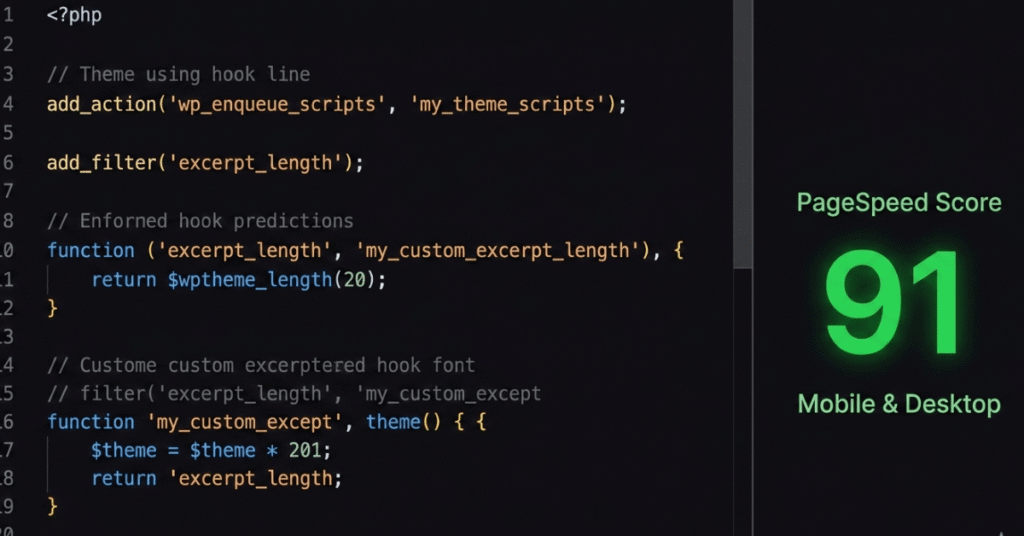
PageSpeed above 90. This is my standing target for every project. Not because it is a vanity metric, but because Google uses Core Web Vitals as a ranking signal and because a one-second delay in page load reduces conversions. I have taken sites from a score of 42 to 91. The methodology is consistent: remove render-blocking scripts, serve images in modern formats, extract and inline critical CSS, configure CDN and caching correctly, and defer everything that does not need to load immediately.
No plugin bloat. The average WordPress site built by a generalist developer has between 20 and 35 active plugins. Many of them exist because the developer did not know how to write the functionality in PHP. Each plugin is a potential security vulnerability, a potential performance drain, and a potential compatibility conflict. In my builds, if something can be written in 40 lines of PHP, it gets written in 40 lines of PHP. Plugins are used for things that genuinely require them – WooCommerce, a payment gateway SDK, a translation layer.
Maintainability. The developer who comes after me can open functions.php, see that it requires four files from inc/, open each of those files, and understand the entire theme architecture in an afternoon. Nothing is buried in a database serialized as base64. Nothing requires a specific plugin version to decode.
A codebase you can hand over. Every project I deliver includes documentation. Not a “readme stub” – actual documentation of what was built, how the CPT is structured, what the custom fields are called, how to add a new service page, what the deployment process is. The work should outlast the engagement.
A Real Example: The EventPrime Bulk Import
In 2024, I worked with a event management organization that runs over 5,000 events per year through their WordPress site using the EventPrime plugin. Every year, their staff spent over 100 hours manually entering event data from a spreadsheet into the WordPress admin interface.
They had looked at third-party import tools. None of them supported EventPrime’s data structure. They had been quoted significant ongoing costs for a SaaS solution that would “probably work most of the time.”
I built a custom WordPress plugin.
The plugin adds an admin menu page with a file upload field. A staff member uploads their existing spreadsheet. The plugin parses each row, maps the columns to EventPrime’s internal data structure, validates every record against business rules before inserting anything, and generates a full error report for any rows that fail – with the exact row number and the exact reason for the failure.
The entire annual import now runs in under two hours.
This is what I mean by code-first. Not a plugin search. Not a configuration exercise. A clearly understood problem, a clean solution, and a result that can be measured.
The Architecture I Follow on Every Project
For anyone technically inclined, here is the structure I use for every custom WordPress theme:
theme-name/
├── functions.php          (30 lines — requires inc/ files only)
├── inc/
│   ├── setup.php          (theme supports, nav menus, image sizes)
│   ├── enqueue.php        (scripts and styles — deferred JS, preconnect hints)
│   ├── post-types.php     (CPTs and taxonomies)
│   └── template-tags.php  (output functions — no logic in templates)
├── template-parts/        (reusable partials)
├── assets/
│   ├── css/main.css       (single stylesheet, CSS custom properties)
│   └── js/main.js         (vanilla JS - no jQuery dependency)
└── [template files]
functions.php is an orchestrator. It defines constants and requires the inc/ files. It contains no logic itself. Templates contain no business logic – they call template-tag functions. Every enqueued script uses wp_script_add_data() to add the defer attribute. The block library CSS is removed on non-block pages. Fonts preconnect before they load.
This is not over-engineering. It is the minimum viable architecture for a codebase that will be maintained by other people over time.
Who This Approach Is For
To be honest: not every project needs this level of rigor.
If you need a five-page brochure site and you will never touch the code again, there are faster and cheaper ways to get there. I am not the right developer for that project, and I will tell you so directly.
The clients I work best with are agencies and businesses who have one or more of the following needs:
- A site that will be actively developed over 12+ months
- A WooCommerce setup with genuinely custom business logic
- A WordPress codebase being taken over from a previous developer who left a mess
- Performance requirements that a standard build cannot meet
- Gutenberg block systems that will be reused across multiple client sites
- A development partner who can own the technical layer without being managed line by line
If that sounds like your situation, I would be glad to talk.
In Closing
The reason I build WordPress sites this way is not because it is more technically impressive. It is not a performance for recruiters or clients.
It is because I have seen what the alternative produces over time. I have been the developer called in after a page builder site has grown to the point where no one can maintain it. I have seen the 2 AM messages when a WooCommerce plugin update takes down checkout on a Friday evening. I have seen the invoices for “emergency fixes” that were entirely preventable.
The code-first approach is slower to build initially. It requires more deliberate thought at the start. And it produces sites that are faster, cheaper to maintain, and far less likely to become a problem in twelve months.
That trade-off seems obvious to me. I write about it because it is not always obvious to the people making hiring decisions – and it should be.
Saddam Hossen is a WordPress plugin developer with 7+ years of experience in custom plugin development, WooCommerce extensions, Gutenberg block systems, and performance optimization. He is Top Rated on Upwork with a 100% job success score. His open-source WebP Optimizer plugin is available on WordPress.org.
Available for full-time remote engagement and scoped freelance projects. Contact: saddam.wp007@gmail.com